Specialty Answering Service 12.9
Publisher Description
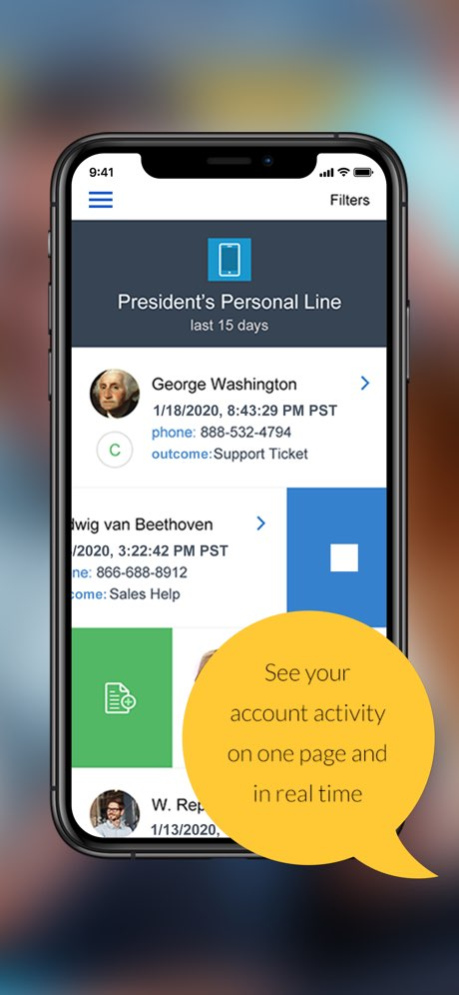
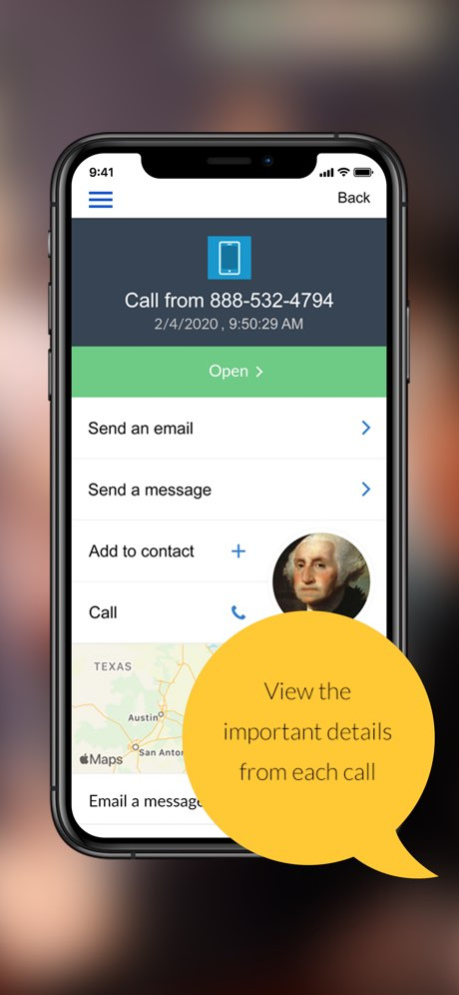
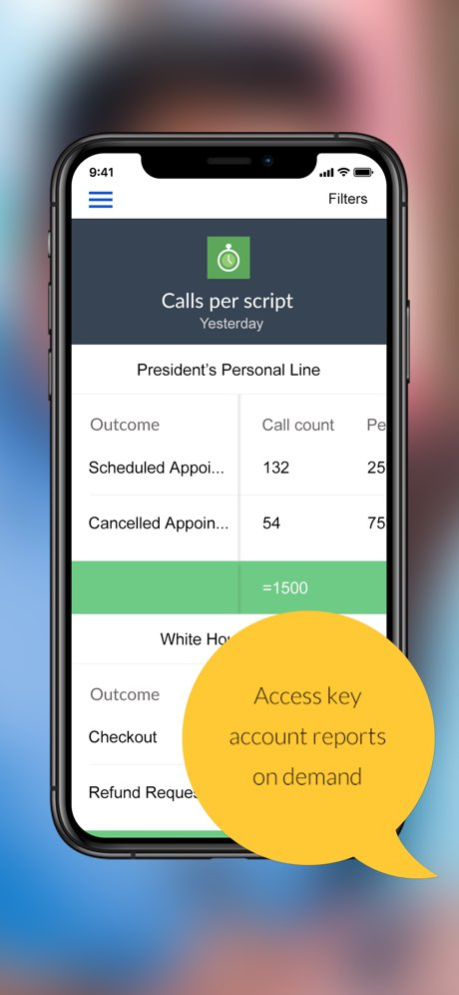
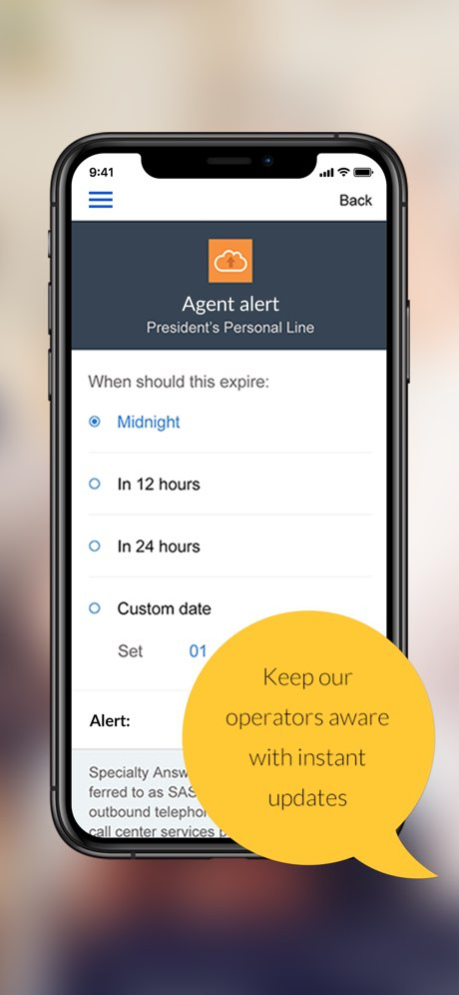
Whether you're out of the office or just too busy to handle calls, the Specialty Answering Service 1 Mobile App will help you stay on top of your business’ inbound communication, collaborate with your team, and keep your SAS receptionist in the know about anything important happening in your world. The App is easy, secure, and free for all Specialty Answering Service customers.
We designed the Specialty Answering Service 1 native app as a brand new way to experience the best small business answering service from your iPhone, and never lose touch with your customers. With the power of the SAS App, you can now listen to calls, update your message delivery, and more.
Features:
. Free app synced to your Specialty Answering Service portal
. View all of your inbound or outbound account activity filtered by date or campaign
. Swipe to listen to telephone calls
. Add internal notes to calls that only your team will see
. Email complete call details including audio files
. Instantly update where messages are sent
. Add appointments to your iPhone calendar
. Reply to customers via text, email, or phone with 1 click
. Temporarily change your account instructions
. Add emergency on-call schedules
. Add and edit FAQs
. Send calls to 3rd party apps like Salesforce and Zendesk
. View detailed reports
. Track your usage
. Update your office hours and closed times
. Change your appointment settings
. Compatible with iPhone and iPad
What is Specialty Answering Service?
SAS is a live-operator telephone answering service that gives customers 24-hour access to your business. Thousands of large and small businesses rely on SAS to manage customer service communications, facilitate sales, represent their brand, and deliver exceptional support experiences to their customers even after the office has closed.
How does the app work?
To use the app, you'll need to be a Specialty Answering Service customer. Not a customer? Then start off with our free two-week trial! After your account is programmed, we'll provide you with a username and password that will allow you to access to both the mobile app and our online messaging portal.
Version History - Minor fixes 2.9 02/14/2020 - Minor fixes
- Added audio to call details panel 2.8 02/07/2020 - Minor fixes and performance improvements
- Removed deprecated functions
- Renamed components to match upcoming v3 release 2.7 02/05/2020 - Minor fixes and performance improvements 2.6 09/18/2018 - Updated the app to return IVR usage in the Minutes report 2.4 06/08/2018 - Updated the app for IOS 10
- Updated the app for iPhone X 2.3 12/21/2017 - Fixed bug with Patch time calculation
- Reduced character limit on Status update to 200
- Fixes miscellaneous bugs and crashes 2.2 07/19/2017 - Added Charts to navigation for viewing call results, status of calls, and results of individual scripted questions
- Enabled recorded call audio when phone is on vibrate
- Fixes miscellaneous bugs and crashes 2.1 02/18/2017 - Miscellaneous bug fixes due to iOS 10 update 2.0 02/11/2017 - Added IVR usage to Minutes report
- Fixes miscellaneous bugs 1.9 11/04/2016 - Caller and user avatar changed to pull from picture associated with Work email address in iPhone contacts
- Status feature now allows custom expiration based on date and time of day
- Fixes bug on app force quit where date range wasn't properly loading in Calls view
- Fixes miscellaneous bugs 1.8 10/20/2016 - Main view now shows timestamp of calls according to timezone set buy the user
- All call details views now reflect user set timezone
- Clicking on the message location in the detail view opens the location edit view
- Updated Status and OnCall controls
- Updated map display in call details view
- Fixes miscellaneous bugs and crashes 1.7 09/12/2016 - Fixed bug where user picture was not displaying from Contact library photos 1.6 08/18/2016 - Allows simultaneous login on desktop and mobile application
- Updated login allows for multi-user access, login with email, and access permission restrictions
- Fixes miscellaneous bugs and crashes 1.5 08/09/2016 - Fixes miscellaneous bugs and crashes
- If address is collected during a call, ability to click on map pin in call details to open directions in iPhone Maps app 1.4 06/24/2016 Whats new in version 1.3
- Fixed bug where profile picture was only showing if related to contacts with cell phone numbers
- Miscellaneous bug fixes 1.3 04/19/2016 Whats new in version 1.2
- Disabled support for faxing messages
- Improvements for recognizing and displaying Caller ID 1.2 04/11/2016 Bug fix where saved data in Open Hours and Closed Hours were passing an extra space. 1.1 03/08/2016 1.0 02/18/2016
About Specialty Answering Service 1
The company that develops Specialty Answering Service 1 is HVAC Answering Service, Inc.. The latest version released by its developer is 2.9.
To install Specialty Answering Service 1 on your iOS device, just click the green Continue To App button above to start the installation process. The app is listed on our website since 2026-10-14 and was downloaded 7 times. We have already checked if the download link is safe, however for your own protection we recommend that you scan the downloaded app with your antivirus. Your antivirus may detect the Specialty Answering Service 1 as malware if the download link is broken.
How to install Specialty Answering Service 1 on your iOS device:
- Click on the Continue To App button on our website. This will redirect you to the App Store.
- Once the Specialty Answering Service 1 is shown in the iTunes listing of your iOS device, you can start its download and installation. Tap on the GET button to the right of the app to start downloading it.
- If you are not logged-in the iOS appstore app, you'll be prompted for your your Apple ID and/or password.
- After Specialty Answering Service 1 is downloaded, you'll see an INSTALL button to the right. Tap on it to start the actual installation of the iOS app.
- Once installation is finished you can tap on the OPEN button to start it. Its icon will also be added to your device home screen.
Program Details
System requirements
Download information
Pricing
Version History
version 2.9
posted on 2026-10-14
Version History - Minor fixes 2.9 02/14/2020 - Minor fixes
- Added audio to call details panel 2.8 02/07/2020 - Minor fixes and performance improvements
- Removed deprecated functions
- Renamed components to match upcoming v3 release 2.7 02/05/2020 - Minor fixes and performance improvements 2.6 09/18/2018 - Updated the app to return IVR usage in the Minutes report 2.4 06/08/2018 - Updated the app for IOS 10
- Updated the app for iPhone X 2.3 12/21/2017 - Fixed bug with Patch time calculation
- Reduced character limit on Status update to 200
- Fixes miscellaneous bugs and crashes 2.2 07/19/2017 - Added Charts to navigation for viewing call results, status of calls, and results of individual scripted questions
- Enabled recorded call audio when phone is on vibrate
- Fixes miscellaneous bugs and crashes 2.1 02/18/2017 - Miscellaneous bug fixes due to iOS 10 update 2.0 02/11/2017 - Added IVR usage to Minutes report
- Fixes miscellaneous bugs 1.9 11/04/2016 - Caller and user avatar changed to pull from picture associated with Work email address in iPhone contacts
- Status feature now allows custom expiration based on date and time of day
- Fixes bug on app force quit where date range wasn't properly loading in Calls view
- Fixes miscellaneous bugs 1.8 10/20/2016 - Main view now shows timestamp of calls according to timezone set buy the user
- All call details views now reflect user set timezone
- Clicking on the message location in the detail view opens the location edit view
- Updated Status and OnCall controls
- Updated map display in call details view
- Fixes miscellaneous bugs and crashes 1.7 09/12/2016 - Fixed bug where user picture was not displaying from Contact library photos 1.6 08/18/2016 - Allows simultaneous login on desktop and mobile application
- Updated login allows for multi-user access, login with email, and access permission restrictions
- Fixes miscellaneous bugs and crashes 1.5 08/09/2016 - Fixes miscellaneous bugs and crashes
- If address is collected during a call, ability to click on map pin in call details to open directions in iPhone Maps app 1.4 06/24/2016 Whats new in version 1.3
- Fixed bug where profile picture was only showing if related to contacts with cell phone numbers
- Miscellaneous bug fixes 1.3 04/19/2016 Whats new in version 1.2
- Disabled support for faxing messages
- Improvements for recognizing and displaying Caller ID 1.2 04/11/2016 Bug fix where saved data in Open Hours and Closed Hours were passing an extra space. 1.1 03/08/2016 1.0 02/18/2016
version 2.9
posted on 2020-02-14
- Minor fixes
version 2.9
posted on 2020-02-14
Feb 14, 2020 Version 2.9
- Minor fixes
version 2.9
posted on 2020-02-14
14 Feb 2020 Version 2.9
- Minor fixes
version 1.7
posted on 2016-02-18
version 2.9
posted on 1970-01-01
2020年2月14日 Version 2.9
- Minor fixes
